Notification Manager
The Push Notifications feature allows users to fully customize the alerts they receive from Lockedin. Users can choose exactly what type of events they want to be notified about, reducing noise while staying informed about important trading opportunities and social activities.
How to Setup Push Notifications
Step-by-Step Guide
Step 1: From the User Profile screen, tap the Settings icon located in the top-right corner.

Step 2: In the Settings menu, select Push Notifications.

**Step 3:**Toggle on or off the notification categories you want to receive.
Notification Categories
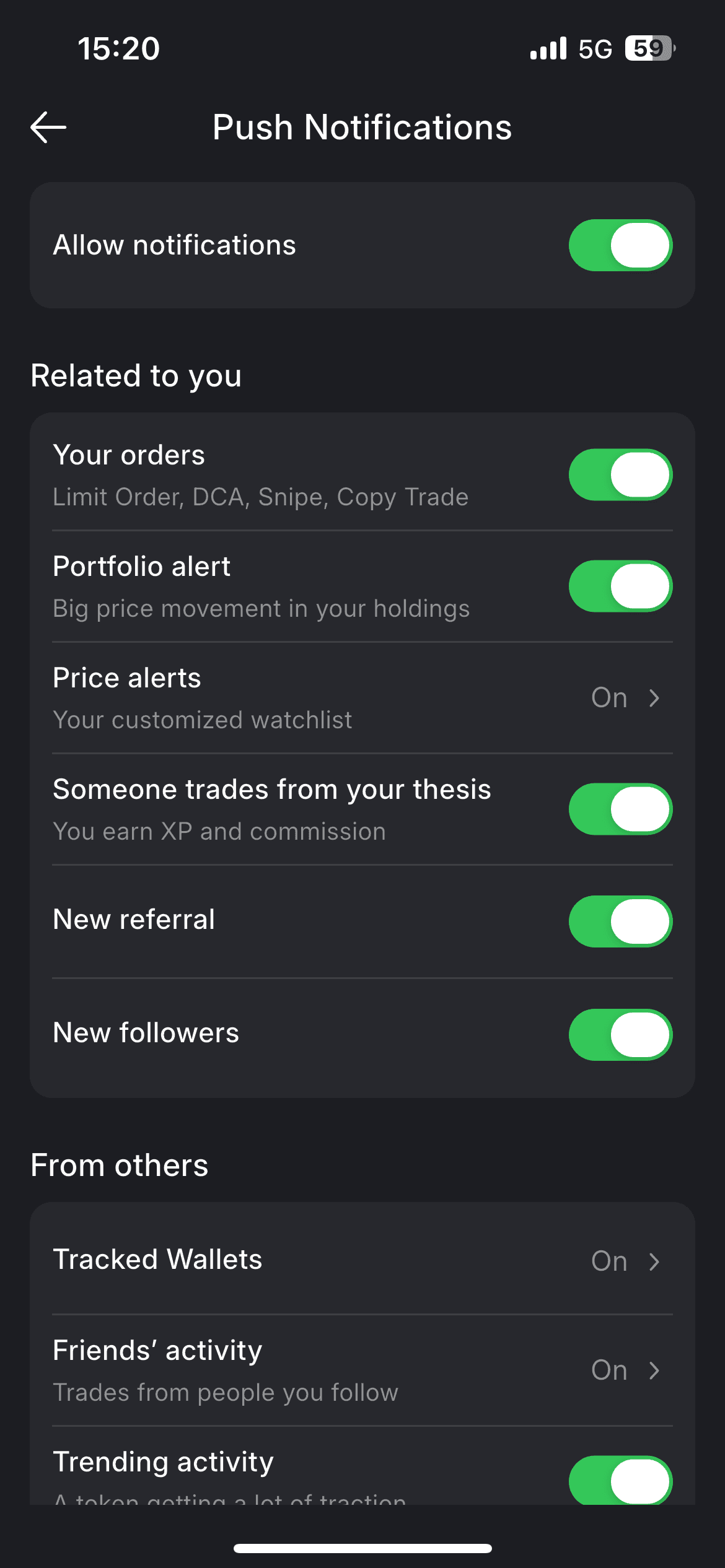
1. Related to You
Notifications that directly affect your account, trades, and social interactions.
- Your Orders: Receive alerts when your trading orders are triggered, including: Limit Orders, DCA orders, Snipe orders.
- Portfolio Alerts: Get notified when there are significant price movements in assets you are holding.
- Price Alerts: Alerts for price levels that you have manually set.
- Someone Trades from Your Thesis: Receive notifications when other users trade based on your shared thesis. You can earn XP and commission from these activities.
- New Referral: Notification when a new user signs up using your referral.
- New Followers: Be notified when someone starts following you.
2. From Others
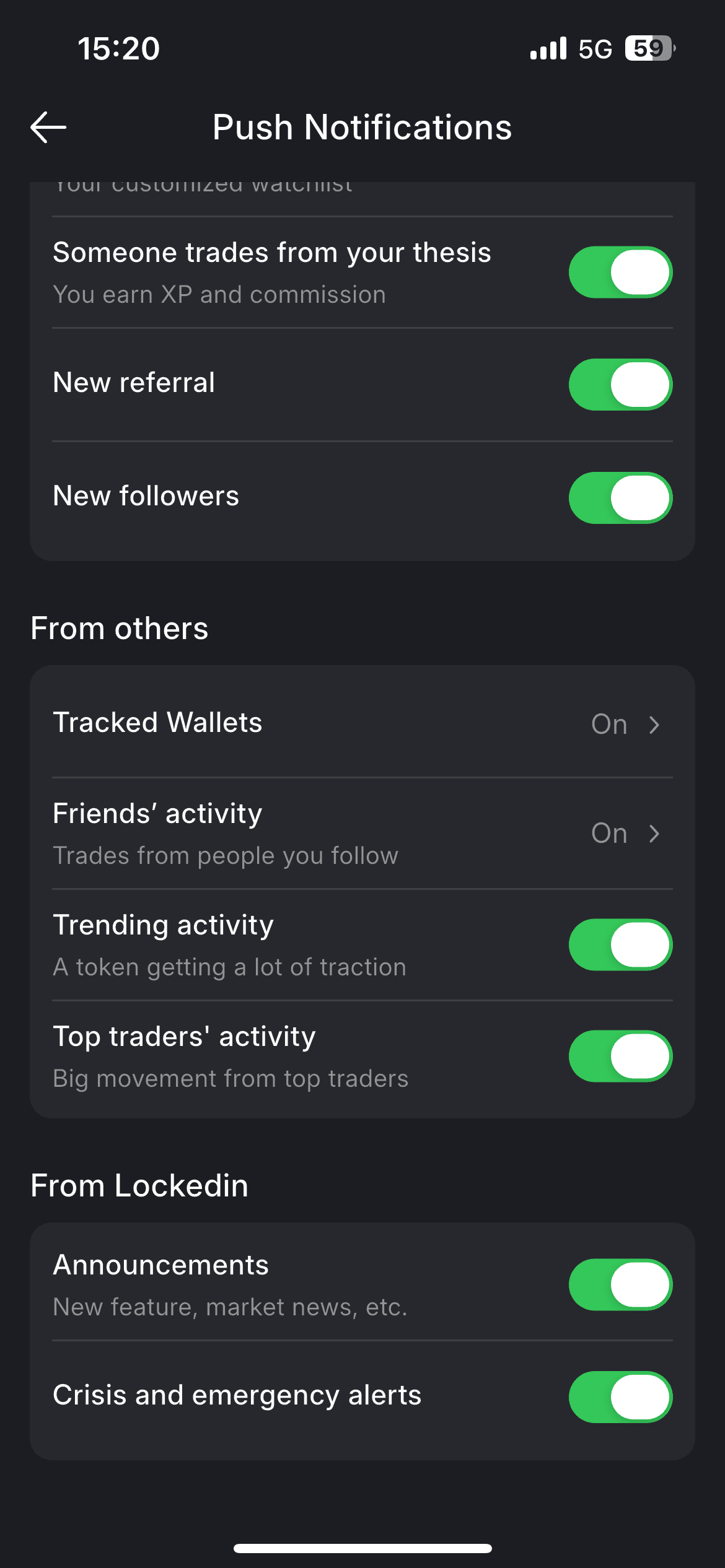
Notifications related to the trading activity of other users you follow or track.
- Tracked Wallets: Receive alerts when tracked wallets execute trades.
- You can set a minimum trade size threshold to filter notifications (e.g., only receive alerts for trades above $100).
- Choose which tracked wallets you want to receive notifications from.
- Friends’ Activities: Get notified when your friends execute trades.
Customize notifications by:
- Selecting specific friends to follow or mute
- Setting a minimum trade size (e.g., only notify trades above $200)
- Trending Activity: Alerts when certain tokens are gaining significant traction across the platform.
- Top Traders’ Activity: Notifications for large or impactful trades executed by top traders on LockedIn.
3. From Lockedin
- Announcement: Platform-level notifications and important system updates. Announcements Includes: New feature launches, Product updates, Market insights and platform news
- Crisis and Emergency Alerts